How to Buy on Owode

Share

Owode makes buying digital products simple and secure. Whether you’re purchasing a course, guide, or downloadable resource, this guide walks you through the entire process — from finding a product to completing your order.

You don’t need any special setup to buy on Owode.

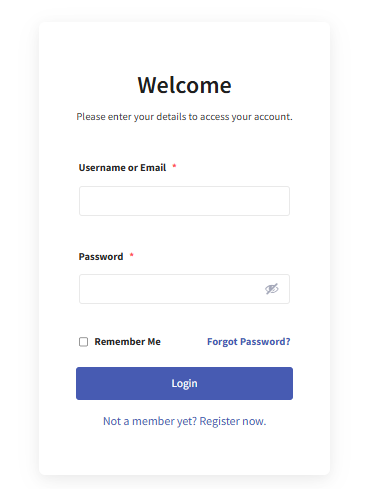
Create or Log Into Your Account

Before you can place an order, you need an Owode account.

Browse or Search for Products

You can find products by:

  • Browsing categories
  • Using the search bar
  • Visiting a seller’s store page

Each product page includes:

  • Product description
  • Price
  • Seller information
  • Reviews (if available)

Add Product to Cart

Once you find a product you want:

  • Open the product page
  • Click Add to Cart
  • Review your cart before checkout

Complete Checkout

At checkout:

  • Confirm your order details
  • Enter billing information (if required)
  • Complete payment securely

After successful payment, your order is confirmed instantly.

Order Confirmation

After checkout:

  • You’ll see an order confirmation page
  • You’ll receive an email confirmation
  • Digital products become available immediately

You can always view your orders from your account dashboard.

Where to Find Your Orders

To view past orders:

This is where you’ll find purchase history and downloads.

Need Help?

If you have any issues with an order, visit the Support page or contact us directly.

Contact Support →

Tags

Sign Up Newsletter

Lorem ipsum dolor sit amet, consectetur adipiscing elit. Ut elit tellus, luctus nec ullamcorper mattis, pulvinar dapibus leo.

You May Also Like

Leave a Reply

Your email address will not be published. Required fields are marked *

Scroll to Top

About Us

Lorem ipsum dolor sit amet, consectetur adipiscing elit. Ut elit tellus, luctus nec ullamcorper mattis, pulvinar dapibus leo.

Letest Post

Suzy Queue 4455
Landing Lange, England, 40018-1234

Subscribe to Our Newsletter

Be the first to receive discounts, promotions, and other exciting news from Owode